


Download AbleWord – Free Office Suite for Windows (2024)
AbleWord is a lightweight, free office suite designed specifically for Windows users who need a reliable and efficient word processor without the complexity of larger software. Developed by AbleWord, this tool offers a clean interface and essential features for creating, editing, and formatting documents. With support for modern file formats like DOCX and PDF, AbleWord ensures compatibility with most professional and personal workflows.
Ideal for students, freelancers, and small business owners, this software provides a fast and secure alternative to expensive or bloated alternatives. Whether you're writing essays, drafting reports, or managing daily notes, AbleWord delivers smooth performance on Windows 10 and above. The latest version, 3.0, includes improved stability, faster loading times, and enhanced text rendering.
Although currently available only in English, the software continues to evolve with regular updates and community feedback.
Why Choose AbleWord as Your Free Word Processor?
In today’s digital workspace, having a dependable word processor is crucial. While Microsoft Word dominates the market, it often comes with a steep learning curve and subscription costs. That’s where AbleWord steps in—offering a streamlined, no-cost solution tailored for everyday users.
Unlike many free alternatives that are cluttered with ads or limited in functionality, AbleWord maintains a minimalist design focused on core writing tasks. The interface is intuitive, with toolbars that are easy to navigate, making it ideal for beginners and experienced users alike. One of the standout features is its speed: documents open in seconds, even on older hardware, thanks to optimized code and minimal background processes.
This efficiency makes it perfect for users working on low-spec machines or those who value quick access to their work. Additionally, AbleWord supports real-time spell-checking, auto-save, and customizable themes, enhancing both productivity and user comfort. The software is completely free to download and use, with no hidden fees or trial limitations.
It’s also secure—no telemetry, no data collection, and no intrusive permissions. For users seeking a lightweight yet powerful word processor that respects their time and privacy, AbleWord is a compelling choice. Whether you're writing a resume, drafting a blog post, or managing a project plan, this tool delivers consistent performance without compromising on quality.
Key Features and How to Use Them Effectively
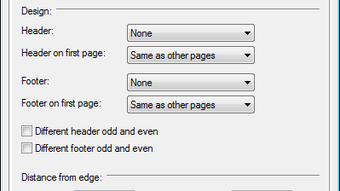
AbleWord comes packed with essential tools that make document creation a breeze. The core features include advanced text formatting, support for tables, headers and footers, and image insertion—all accessible through a clean, customizable toolbar. Users can apply styles, adjust margins, and use bullet points with ease, ensuring professional-looking documents every time.
One of the most useful additions in version 3.0 is the built-in PDF export function, allowing users to convert their documents directly to PDF without needing additional software. This is particularly helpful for submitting assignments or sharing reports securely. The software also includes a distraction-free mode, which hides all toolbars and focuses solely on your writing—perfect for deep work sessions.
For those managing long documents, the navigation pane provides a clear outline view, making it easy to jump between sections. Another highlight is the auto-save feature, which automatically saves your work every few minutes, reducing the risk of data loss. To get the most out of AbleWord, users can customize their workspace by rearranging toolbars, changing fonts, or setting default templates.
The software also supports keyboard shortcuts, enabling power users to speed up their workflow. Installation is straightforward: simply download the installer from the official site, run it, and follow the on-screen prompts. Once installed, launch the app and start a new document instantly.
With regular updates and a growing user base, AbleWord continues to refine its feature set while staying true to its lightweight philosophy.
- Lightweight and fast performance
- Free to download and use
- Supports DOCX, PDF, and TXT formats
- Auto-save and real-time spell-check
- Distraction-free writing mode
- Customizable interface and themes
- Table, image, and header/footer support
- Regular updates and security patches
Compatibility, Installation, and System Requirements
AbleWord is designed exclusively for Windows operating systems, ensuring seamless integration with the platform’s native features. It requires Windows 10 or later, making it suitable for most modern desktops and laptops. The software is not available for Mac, iOS, or Android, so users on non-Windows devices will need to explore alternative solutions.
However, for Windows users, AbleWord offers a frictionless experience from start to finish. The installation process is simple: visit the official website, download the .exe installer file (approximately 25 MB), and run it. The setup wizard guides you through the steps with minimal input required.
No additional dependencies or third-party software are needed, which reduces the risk of compatibility issues. Once installed, AbleWord runs smoothly on systems with as little as 2 GB of RAM and a dual-core processor—making it accessible even for older machines. The application is lightweight, consuming minimal CPU and memory resources, so it won’t slow down your system during multitasking.
For users concerned about security, the software is digitally signed and scanned regularly to prevent malware. Updates are delivered automatically through the app’s built-in updater, ensuring you always have the latest version with improved performance and bug fixes. The latest version, 3.0, includes enhanced text rendering, better file handling, and improved stability.
It’s worth noting that AbleWord is currently only available in English, so non-English speakers may face a language barrier. Despite this limitation, the software remains highly functional and user-friendly for English-speaking users across all skill levels.
- Operating System: Windows 10, 11 (64-bit recommended)
- Processor: 1 GHz or faster (dual-core recommended)
- RAM: 2 GB minimum (4 GB recommended)
- Storage: 50 MB free space
- Internet: Required for updates and activation
Pros and Cons: Is AbleWord Right for You?
Every software has its strengths and limitations, and AbleWord is no exception. On the positive side, it’s completely free, lightweight, and fast—ideal for users who want a no-frills word processor without bloat. The clean interface and intuitive layout make it easy to learn, even for first-time users.
Features like auto-save, PDF export, and distraction-free mode significantly boost productivity. Security is also a major plus—no data tracking, no ads, and no hidden costs. Regular updates ensure the software remains stable and secure over time.
However, there are a few drawbacks to consider. First, the lack of multilingual support limits its global reach. Second, it doesn’t support cloud integration like Google Docs or OneDrive, so collaboration in real-time isn’t possible.
Third, advanced formatting options such as mail merge or complex macros are missing, which may frustrate power users. Lastly, the absence of mobile apps means you can’t access your documents on the go. Despite these limitations, AbleWord remains an excellent choice for individuals who prioritize speed, simplicity, and privacy.
If you’re a student, freelancer, or small business owner working primarily on Windows, this software can become your go-to writing tool. It’s especially valuable for those who want to avoid subscription models or software that slows down their computer. For users seeking a secure, fast, and free alternative to Microsoft Word, AbleWord delivers on its promise.
Pros
- Free to download and use forever
- Lightweight and fast performance
- Secure with no telemetry or ads
- Auto-save and real-time spell-check
- PDF export without third-party tools
- Regular updates and stability improvements
Cons
- Only available for Windows
- Currently only in English
- No cloud sync or real-time collaboration
- Limited advanced formatting features
- No mobile or tablet apps
Frequently Asked Questions (FAQ)
Is AbleWord really free to use?
Yes, AbleWord is completely free to download and use. There are no hidden fees, trial periods, or subscription models. The software is supported by its developer through occasional updates and community feedback.
Can I use AbleWord on Windows 11?
Yes, AbleWord is fully compatible with Windows 11. It was designed to work on Windows 10 and above, so users on the latest Windows versions can install and run it without issues.
Does AbleWord support PDF export?
Yes, version 3.0 includes a built-in PDF export feature. You can convert your documents directly to PDF format with just a few clicks, making it easy to share or print your work securely.
Is AbleWord safe to download?
Yes, AbleWord is safe to download. The installer is digitally signed and scanned regularly. The software does not collect user data or display ads, ensuring a secure and private experience.
Can I use AbleWord on Mac or mobile devices?
No, AbleWord is currently only available for Windows. There are no official versions for Mac, iOS, or Android. Users on other platforms should consider alternatives like LibreOffice or Google Docs.
Final Verdict: A Solid Free Alternative for Windows Users
After thorough evaluation, AbleWord stands out as one of the best free word processors available for Windows users in 2024. Its combination of speed, simplicity, and security makes it a strong contender against both paid and open-source competitors. While it lacks some advanced features and mobile support, its core functionality is more than sufficient for most everyday tasks.
If you're looking for a lightweight, no-cost solution that won’t slow down your system or compromise your privacy, AbleWord is worth downloading. The software is easy to install, runs smoothly on older hardware, and continues to improve with each update. Whether you're a student writing a thesis, a professional drafting a proposal, or a casual user managing personal notes, AbleWord delivers a reliable and satisfying experience.
Don’t miss out—download AbleWord today and discover a faster, cleaner way to write.
Download AbleWord now and experience a free, secure, and efficient word processor for Windows.







